Home Screen, Interrupted: The Endless Loop of Rearranging Apps You'll Never Actually Fix
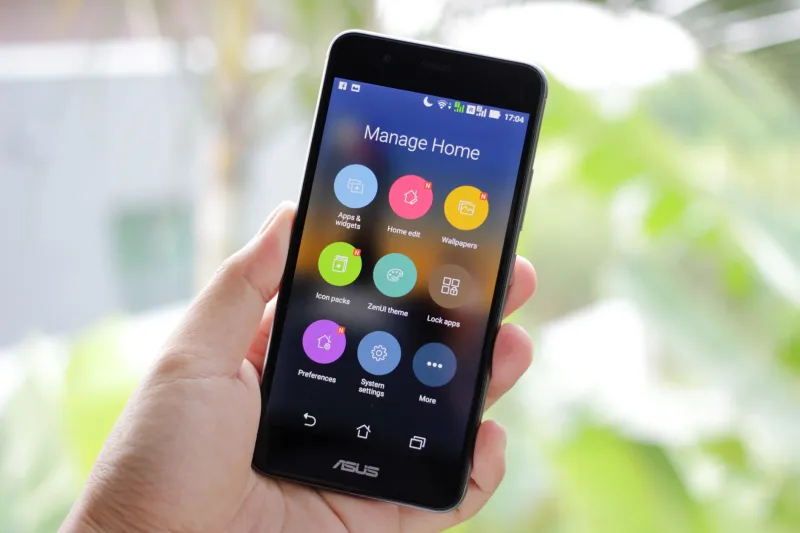
Somewhere between your third folder rename and moving the weather app back to page one for the fourth time this week, you probably had a small moment of self-awareness. Why am I doing this? The phone still works the same way. The apps haven't changed. And yet here you are, dragging icons around at 11:30 on a Tuesday like it's going to solve something.
You're not alone. Millions of people quietly spend chunks of their day reorganizing the digital real estate on their phones — shuffling apps into folders, pulling them back out, color-coding by category, then abandoning the whole system two weeks later. It's one of those modern habits that nobody really talks about out loud, but everybody does.
The Promise of the Perfect Setup
Here's the thing about rearranging your home screen: it always starts with optimism. You've got a vision. Productivity apps on page one. Social stuff tucked away on page two. Games buried somewhere you'll have to work to reach. It feels like a plan, and plans feel good.
The problem is that your phone use doesn't actually follow a plan. You open Instagram from muscle memory at 7 a.m. You check the weather app only when it's already raining. The to-do list app you put front and center? You haven't touched it since you installed it. Real usage patterns are messy and context-dependent, and no amount of grid reorganization is going to turn chaotic human behavior into a clean filing system.
Designers have known this for a while. The original iPhone grid — a flat, icon-based launcher — was never really designed for the 80-plus apps the average American now carries. It was designed for maybe a dozen. The math stopped working years ago, and yet the fundamental interface hasn't changed all that much. So users are left doing the work themselves, over and over, forever.
When Organizing Becomes Procrastinating
Let's be honest about what's actually happening half the time. You sit down to do something — answer emails, finish a project, call someone back — and instead you spend twenty minutes rearranging your home screen. It feels productive. You're technically improving your workflow, right? Getting organized so future-you can be more efficient?
Nope. It's procrastination with better aesthetics.
Psychologists have a term for this kind of behavior: productive procrastination. It's the art of doing something that looks like progress while avoiding the thing that actually needs doing. Cleaning your desk instead of writing the report. Reorganizing your bookshelf instead of reading the book. Renaming your app folders instead of answering those emails.
The phone is uniquely good at enabling this because the task — reorganizing — is genuinely low-stakes and infinitely undoable. There's no failure state. You can move things around forever without consequence, which makes it the perfect mental hiding spot.
The Folder Problem Nobody Has Solved
Folders seemed like the answer when Apple introduced them back in iOS 4. Finally, a way to group things! Tuck away the clutter! The problem is that folders add a layer of friction — now you have to remember which folder something is in, and tap twice instead of once. For apps you use constantly, folders are actively annoying. For apps you use rarely, folders become black holes where things go to be forgotten.
And then there's the naming issue. What do you call a folder that contains Yelp, Google Maps, and a parking meter app? "Going Places"? "Out Stuff"? "Misc"? Every option feels slightly wrong. So you either leave it unnamed, which feels sloppy, or you pick something that made sense for five minutes and then gradually stops making sense as apps migrate in and out.
Android gives users more flexibility — widgets, custom launchers, resizable icons — but more flexibility just means more decisions. More decisions mean more chances to feel like you made the wrong ones. The reorganization cycle doesn't slow down; it just gets more elaborate.
Why the Satisfaction Never Shows Up
Here's the uncomfortable truth: there is no perfect home screen. There's no configuration that will finally feel right and stay right, because your needs change constantly. A setup that made sense during a work trip doesn't make sense on a lazy weekend. An app you used every day in January might be irrelevant by April.
The satisfaction you're chasing is a moving target. And the act of reorganizing — the dragging, the grouping, the renaming — gives you just enough of a dopamine hit to keep you trying. It's a small but real sense of control over a device that, in most other ways, is designed to control you.
There's also a perfectionism element at play. A lot of people who compulsively reorganize their phones are the same people who can't leave a crooked picture on the wall. The grid layout of a home screen is inherently geometric and ordered, which makes any perceived inefficiency feel visible and fixable. Unlike the rest of life, where messes are complicated and solutions are unclear, the phone grid looks like a problem that should have a clean answer.
It just doesn't.
What Could Actually Help
Some apps and operating systems are starting to experiment with smarter approaches. iOS has added an App Library that auto-sorts everything and lets you hide pages from your home screen entirely. Android launchers like Nova allow for truly custom setups that go way beyond the default grid. There's also growing interest in usage-based organization — surfaces that learn which apps you reach for at certain times of day and surface them automatically.
These are all steps in the right direction, but none of them have killed the reorganization impulse. Partly because the underlying desire isn't really about efficiency — it's about feeling like you have a handle on the chaos. And a machine learning algorithm deciding your layout doesn't give you that feeling, even if it technically works better.
Until someone figures out how to design a phone interface that feels both personally curated and effortlessly maintained, the great app reorganization will continue. Tonight, probably. Maybe right after you finish reading this.
The weather app is still in the wrong spot, by the way.